

What is Studio?
With marimo-studio, you turn one marimo notebook into a web page, a slide deck, or a PDF for each of your audiences, built from the notebook's own results.
A notebook that teaches quadratic programs has several audiences. Students follow a lecture, readers work through an explainer at their own pace, learners experiment in a lab, and a committee reads a printed report. If you copy the notebook once per audience, the copies drift apart. If you write HTML and CSS into its cells, the math gets buried under layout code. With Studio, the notebook stays as it is, and you add a view for each audience:
quadratic_program.py backs four views. Lecture is a React and Reveal.js deck, Explainer is a plain HTML page, Lab is a Svelte app, and Report is a PDF typeset with Typst. Choose Notebook to see the analysis they all read from.
What a view is
A view is one named presentation of a notebook. A notebook can have any number of views, and each view has:
- a name and a URL, such as
lectureat/lecture/ - a view project, a folder of source files beside the notebook
- a view provider, named in the view project's
view.toml, that builds the folder into a page
quadratic_program.py
studio/quadratic_program/
  explainer/   index.html, view.toml
  lab/         a Svelte and Vite project
  lecture/     a React and Reveal.js project
  report/      main.typ, marimo.typ, view.toml
A view project is ordinary source in its format. lab/ is a Svelte app and report/ is a Typst document, so you can open either one in your own editor or hand it to a coding agent. Studio watches each folder, builds the view again when you save, and shows the result in Preview, the pane beside the notebook in marimo edit. Commit studio/ with the notebook. Studio keeps build output in __marimo__/studio/quadratic_program/, which Git ignores.
Python in the notebook, presentation in the view
The notebook and its views split the work by language:
| Notebook | View | |
|---|---|---|
| Holds | Data, computation, controls, and charts that several views use | Layout, wording, styling, and page code that formats the results it receives |
| Written in | Python | HTML, CSS, JavaScript, Markdown, Typst, or LaTeX |
| Changes when | The analysis changes | The presentation for one audience changes |
Views hold no Python. When a view needs a new number, you add a cell to the notebook and place its result in the view. Your page code can still sort, filter, and draw the values it receives. Anything that needs Python, or that several views share, such as a chart or a control, goes in the notebook, so every view shows the same one.
Notebook results are building blocks
A view can place three kinds of notebook result:
- a cell, with its output and any controls it shows
- an output, one Python object rendered the way marimo renders it
- a value, such as a number, a record, or a table, for the view to format
Here are three cells from quadratic_program.py, abridged. The first shows a slider, the second solves the optimization problem, and the third draws it:
@app.cell
def pull_direction(mo):
    pull_direction = mo.ui.slider(0, 330, step=30, label="Direction of $q$")
    pull_direction
    return (pull_direction,)


@app.cell
def solution(q, solve):
    solution = solve(q)
    return (solution,)


@app.cell
def level_curves(bowl, draw_problem, region, solution):
    problem_figure = draw_problem(region, bowl, solution)
    problem_figure
    return (problem_figure,)
Each format names the same results in its own syntax. An HTML page marks each spot with a host, an element that Studio fills with the named result:
<marimo-cell name="pull_direction"></marimo-cell>
<marimo-output value="problem_figure"></marimo-output>
<p>The optimal value is <strong mo-value="solution.value"></strong>.</p>{{< marimo cell="pull_direction" >}}
{{< marimo output="problem_figure" >}}
The optimal value is {{< marimo value="solution.value" >}}.#import "marimo.typ": marimo_output, marimo_value
#marimo_output("problem_figure", width: 100%)
The optimal value is #marimo_value("solution.value", default: 0)
with $q$ pointing at #marimo_value("pull_direction.value", default: 0) degrees.\usepackage{marimo}
\marimographics[width=\linewidth]{problem_figure}
The optimal value is \marimonum{solution.value}
with $q$ pointing at \marimovalue{pull_direction.value} degrees.Studio renders the HTML and Typst sources into a live page and a PDF:


Each name resolves to a different kind of result:
pull_directionnames a cell. A page shows the live slider. Moving it makes marimo rerun the cells that depend on it, and every result on the page updates. A PDF holds no slider, so the Typst and LaTeX sources read its current value.problem_figurenames an output, a matplotlib figure. A page renders it the way the notebook does. Typst and LaTeX draw it as a vector graphic at the width where the source places it, so its labels keep their point size.solution.valuenames a value. A page writes it into the element. Typst and LaTeX read it as JSON and format it themselves.
Studio resolves every name to the cell that computes it. A reader who doubts a number on the page can follow it to that cell and through marimo's dataflow graph to the data behind it, and marimo-studio validate reports each name a view declares that the notebook no longer defines.
Any document
Every view reaches its readers as a page in the browser. The HTML, React, Svelte, Reveal.js, Observable Notebook Kit, and Quarto formats build the page from their own source. Controls on these pages stay live, and results update as soon as marimo recomputes them.
Typst and LaTeX views compile a PDF from the notebook's results, a render that their page shows with a download link. In the editor and in apps served with Python, Studio compiles the PDF again whenever a result it reads changes. A prepared export compiles one PDF for each state it prepares.
Choose a format compares the built-in formats. When you need something else, you have two ways to go further:
- Your page code can read a value from its
mo-valuehost and draw it with any JavaScript library. The examples draw notebook values with D3, Mosaic, Three.js, MapLibre, Observable Plot, and Recharts. - You can install or write a view provider, a Python package that brings another framework, template, or build tool. Its starters appear in the New view dialog, and its views build, preview, and export like the built-in ones. marimo-manim, for example, turns notebook results into Manim animations.
Editing, running, and sharing
When you run marimo edit, Studio adds a Notebook, Source, and Preview workspace. Each time you save view source, Preview rebuilds. If a build fails, you keep seeing the last good view, with the error beside the source.
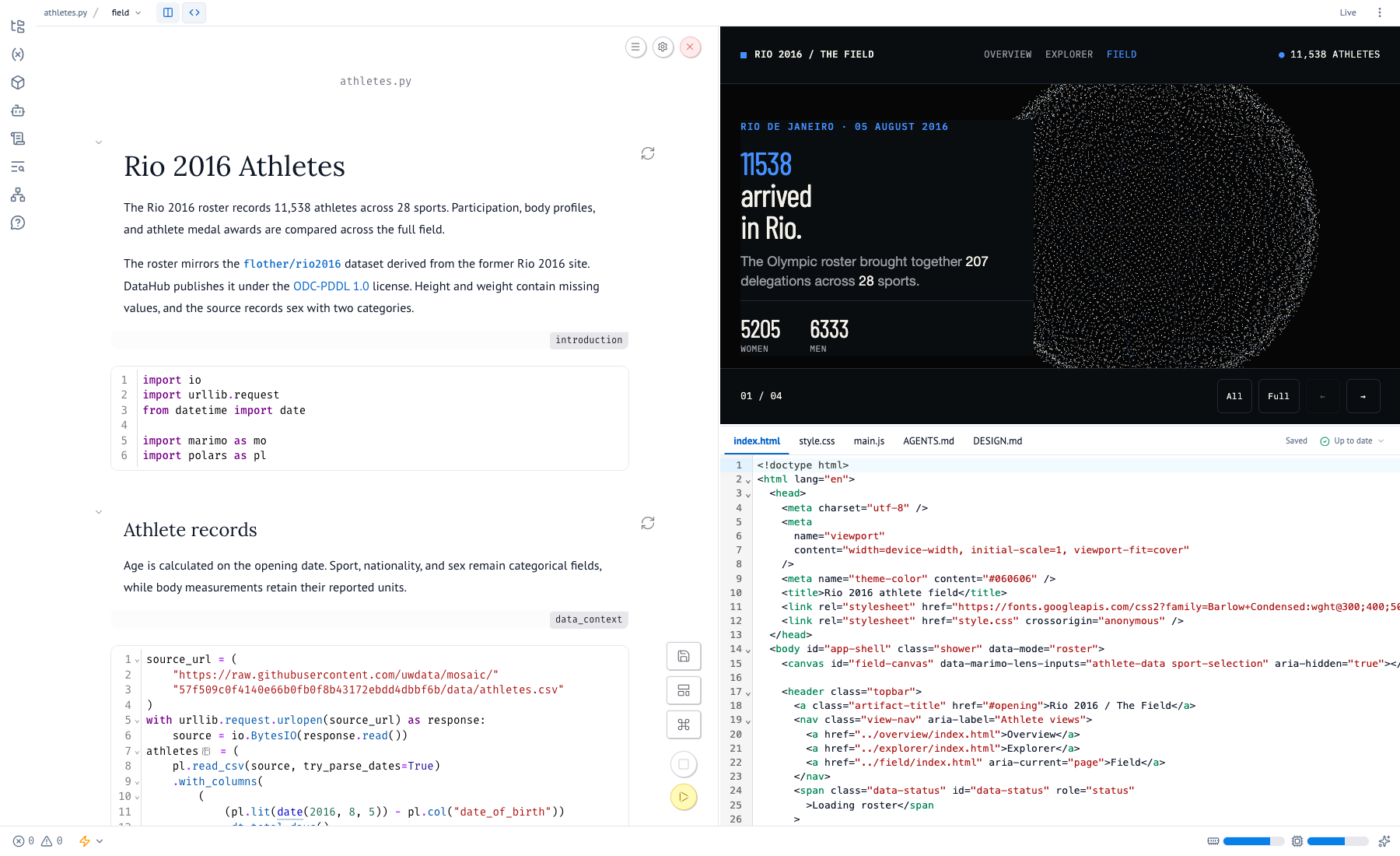
You can run the same view three ways:
| Runtime | Where Python runs | Typical use |
|---|---|---|
| Python | A server, through marimo run | Private data, credentials, and native packages |
| Browser | Each visitor's browser, through Pyodide | A static site where visitors compute new states |
| Prepared | Your machine, during marimo-studio view export, once per prepared state | A static site that keeps the notebook source private |
Every example on this site is a prepared export: a static site that uses the Prepared runtime.
Coding agents and Lens
A coding agent fits the split between notebook and view. It writes Python in the notebook through marimo pair or marimo's AI sidebar, writes view source in the view project, and shows the result in your Preview. Author with a coding agent covers the workflow.
Lens, from the optional marimo-studio[lens] extra, closes the loop. Select a number on a page, a bar in a chart, or a figure inside a Typst PDF, add a note, and the agent receives the selection with the cell that computed it and the line in the view that placed it. It then changes the notebook when the data is wrong and the view when the presentation is. Select results with Lens shows how each selection traces back.
Next steps
- How Studio works shows what each part of Studio does and which data passes between them.
- Getting started walks you through a first view.
- Author with a coding agent shows how to ask an agent for one.
- Select results with Lens shows how to point an agent at any part of a view.
- Examples has four notebooks with four views each.