

Use Studio in marimohub
marimohub is a self-hosted platform that stores marimo notebooks and runs each session in a sandbox. With Studio, a team builds views in the hub's editor and shares a view as the notebook's app. When a notebook declares marimo-studio, the notebook page opens the Studio workspace and Run as app serves the view the editor shows.
This guide covers marimohub 0.4.16 and later.
Persist view projects
Set this hub setting so the hub saves view projects from the sandbox workspace:
MARIMOHUB_PERSIST_WORKSPACE=workspaceWith the default source value, the hub saves only notebook.py and pyproject.toml, and view files are lost when the session ends. A notebook imported with its folder keeps the whole workspace in either mode. Workspace persistence also saves hidden files such as .env, which any project member with read access can download. Keep credentials in the hub's integration secrets.
Git-synced notebooks, temporary editors, and previews save nothing from the session, and Add view warns about them. For a Git-synced notebook, follow the hub's marimo-studio steps and commit notebook.py and its views folder before you stop the session.
The saved workspace keeps __marimo__/, where Studio keeps build state by default, when it is within the hub's capture budget, and omits Studio's cache directories. A new session builds a view again when its saved build is missing or stale.
Studio needs supported storage for the workspace. Backends that copy the workspace into the sandbox provide it. The Cloudflare backend mounts the workspace with s3fs, and Studio stops view creation and builds there with a concurrent-change error.
Add Studio to the notebook
Stop any running editor session, because Browse files is read-only while one runs. In the project's notebook list, open the notebook's actions menu, choose Browse files, open notebook.py, add this header at the top, and click Save:
# /// script
# dependencies = ["marimo-studio>=0.4.1"]
#
# [tool.marimo-studio]
# default = "dashboard"
# view_root = "studio"
# ///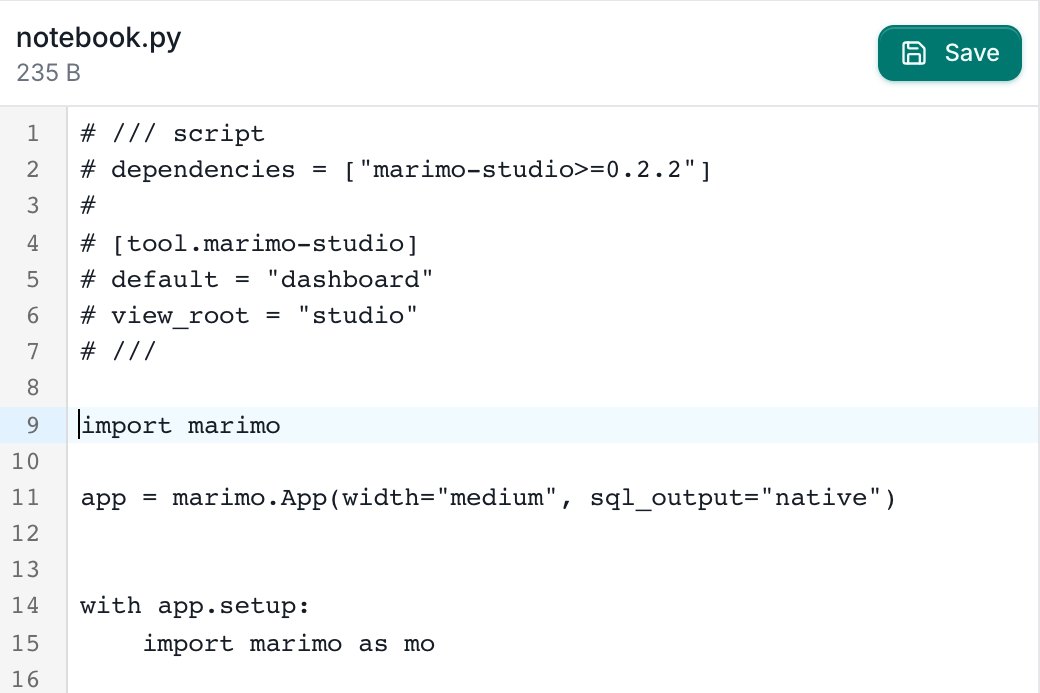
The header is a PEP 723 script block, which stores dependencies and tool configuration inside the notebook file:
| Entry | Effect in marimohub |
|---|---|
dependencies | The hub installs them when a sandbox starts |
default | The view Add view proposes and an app link without a view path serves |
view_root | Puts view projects in studio/, where Browse files and a synced Git repository show them |
Dependency changes apply at the next sandbox start, which takes longer the first time while Studio installs. For a Git-synced notebook, add the header in the repository and sync again. For a new notebook, save the header in a local notebook.py and choose it under Start from a file in the New Notebook dialog.
The HTML document starter needs nothing more. React, Svelte, Reveal.js slides, and Notebook Kit need marimo-studio[deno]>=0.4.1 in dependencies and access to the npm registry. Typst report needs marimo-studio[typst]. Quarto document needs Quarto 1.9.38 or newer on the image's PATH. LaTeX article needs Tectonic 0.15 or newer on PATH, and its first compile downloads TeX packages over the network.
Each Studio release pins one marimo release, and the hub installs the notebook's dependencies beside the marimo of its sandbox image. Use an image whose marimo matches the Studio release the notebook declares, as Supported environment lists.
Create the first view
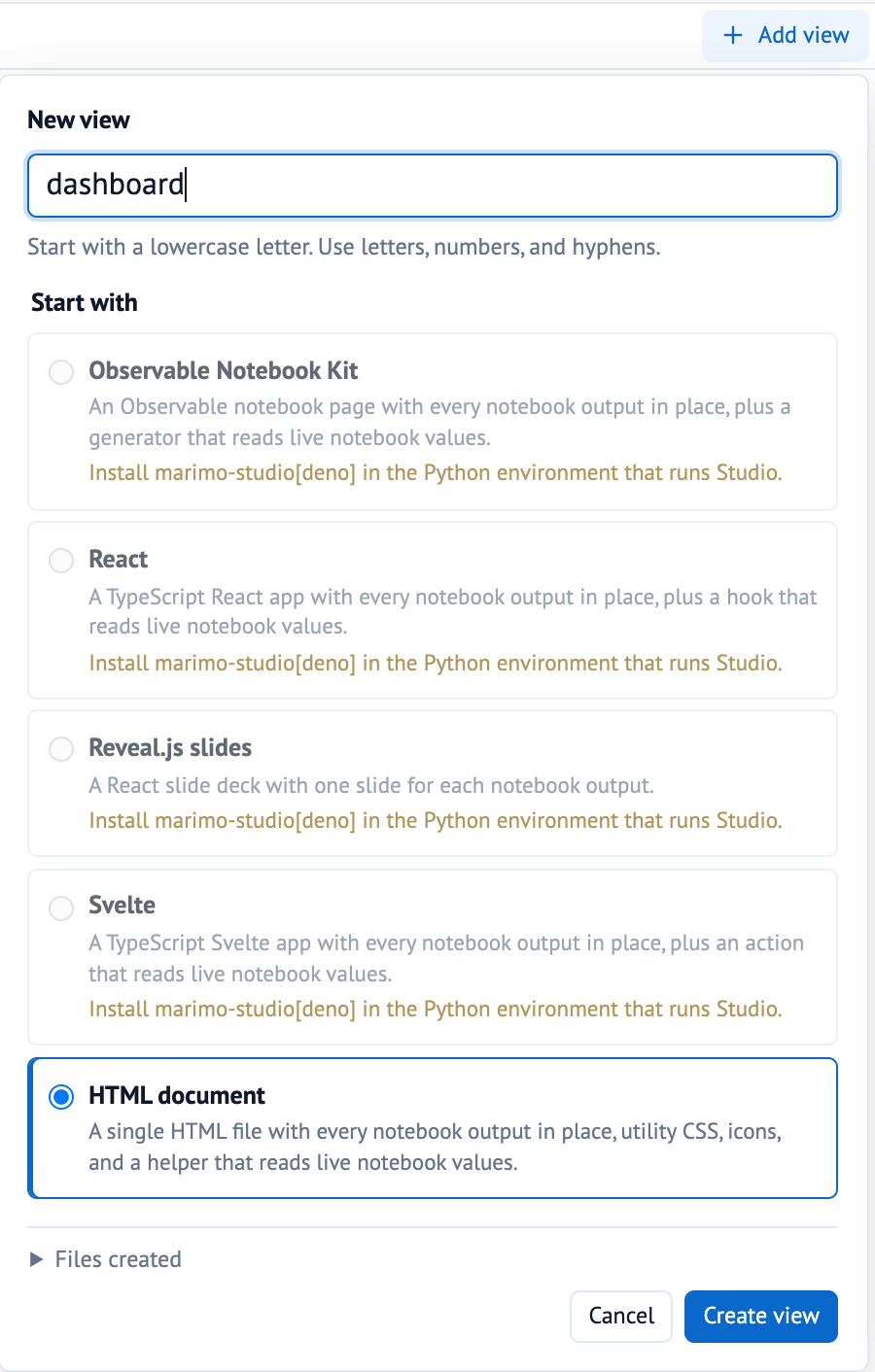
Open the notebook and run its cells. Click Add view in the Studio toolbar, keep the proposed name dashboard, choose HTML document, and click Create view.
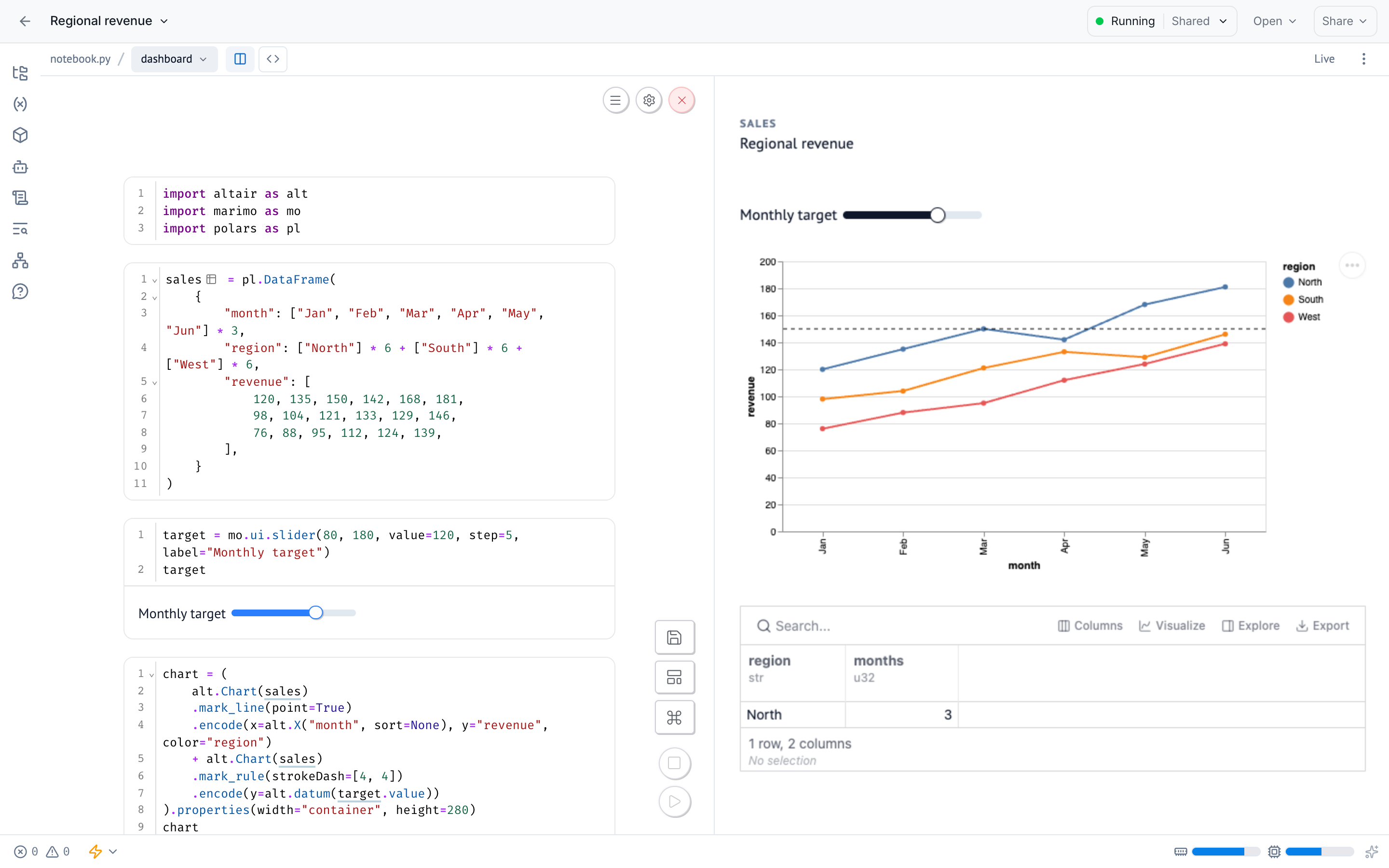
Notebook and Preview open side by side on the same kernel, so moving a slider in the view reruns dependent cells and updates both panes.
View creation also pins Studio in the header to the installed version, such as marimo-studio==0.4.1, and records aliases for the cells the starter placed. A direct reference such as marimo-studio @ https://example.com/marimo_studio-0.4.1-py3-none-any.whl stays as written.
Continue with Edit and preview in Studio and Place notebook results in a view.
Check the saved view project
Stop the session from the hub's session menu. Browse files shows the saved view project:
notebook.py
pyproject.toml
studio/
  dashboard/
    AGENTS.md
    index.html
    view.toml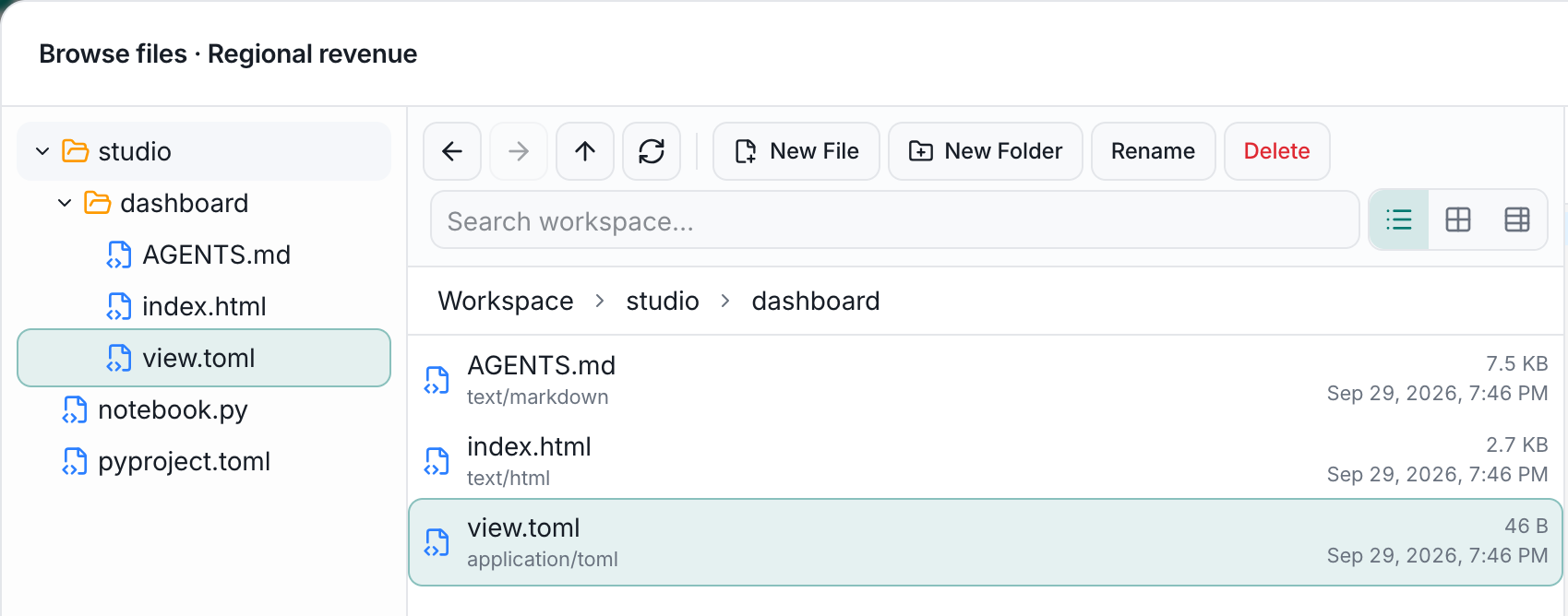
The next session restores studio/ and opens Studio on the dashboard view.
Run the view as an app
Choose Open, then Run as app. The hub runs the notebook with marimo run, and Studio serves the view.
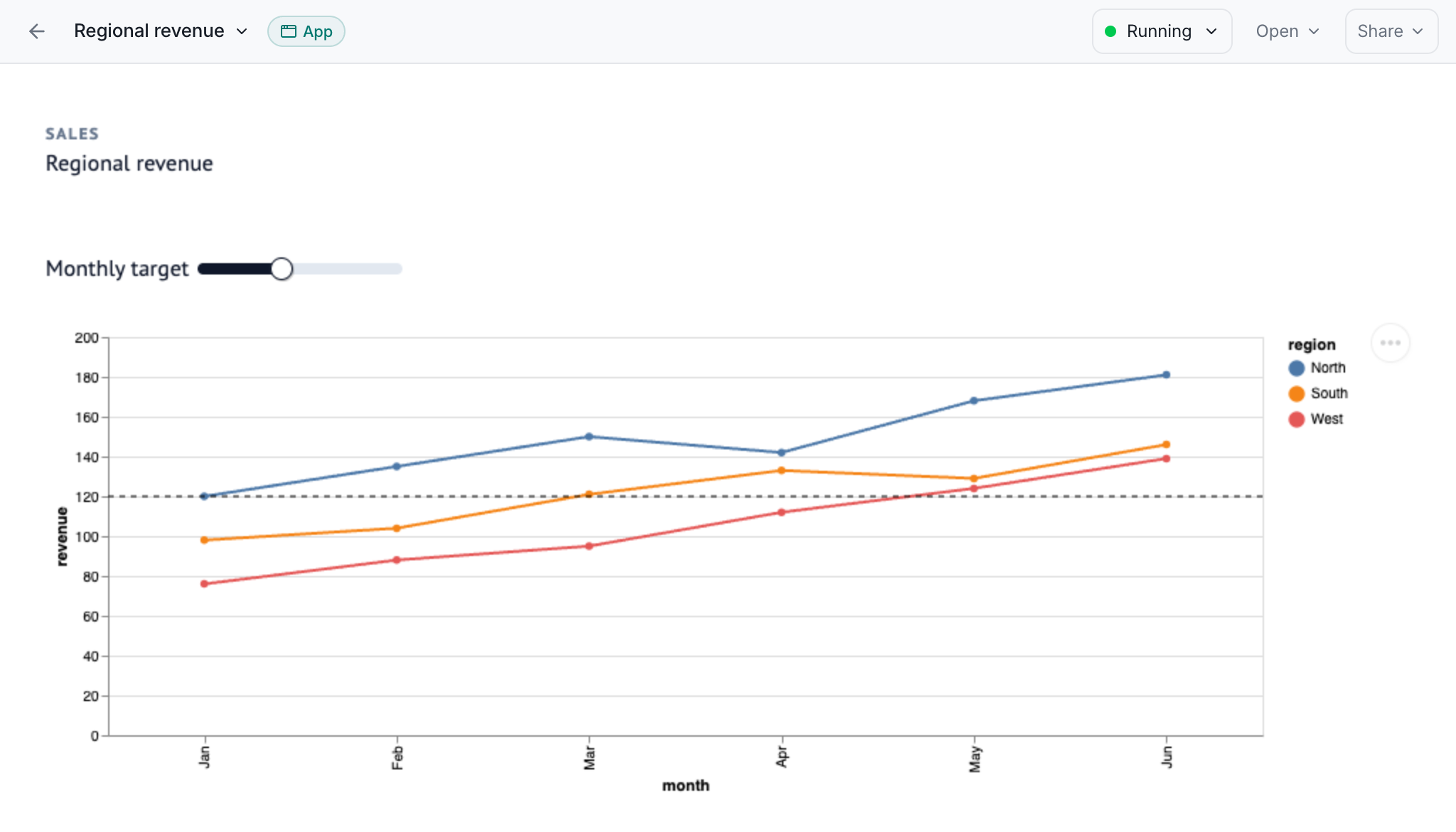
The __mh_path query parameter holds the view path, so a reload, Copy URL, Run as app, and app links reopen the same view. /app/sales?__mh_path=report%2F opens the report view of the app sales, and a link without __mh_path serves the default view.
Each new app session builds the view's production revision for its first visitor, and React, Svelte, Reveal.js, and Notebook Kit views download their packages during that build. To run or export the view outside the hub, see Run or export a view.
Serve Preview behind a sign-in
Preview runs view code in a sandboxed frame with an opaque origin, so its requests carry no cookies. A sign-in that checks a cookie on every request rejects them, and Preview reports The preview cannot reach the Studio server. after 10 seconds.
MARIMOHUB_SANDBOX_EXPOSURE sets where the hub serves each sandbox:
| Exposure | Sandbox address | Preview |
|---|---|---|
subdomain (default) | Its own domain | Fails behind a login proxy |
proxy | Hub origin, /proxy/<token>/ | Works behind the hub sign-in |
Proxy exposure runs notebook output on the hub origin, so the hub requires MARIMOHUB_SANDBOX_PROXY_ACK_UNTRUSTED=true. Studio reads the exposure from the sandbox context and serves Server runtime views on that origin too, with the hub sign-in cookie. Set MARIMO_STUDIO_TRUSTED_SERVER_RUNTIME=0 to keep them in their opaque frame.
With subdomain exposure behind a login proxy, add MARIMO_STUDIO_TRUSTED_SERVER_RUNTIME=1 to the project's Environment variables integration and restart the session. Server runtime code then reaches the sandbox origin's cookies, local storage, and same-origin requests. See Process settings.
Coding agents in marimohub
Coding agents author views through Studio's agent API in the live notebook kernel, and workspace.status() reports in persistence whether the hub saves view files. In code mode, view.preview_url(runtime="server") returns the view's address on the sandbox's public URL. MARIMOHUB_SANDBOX_AUTH=on makes each sandbox's marimo require an access token, and with the exposure it decides who can open that URL:
| Exposure and sandbox authentication | Who can open the preview URL |
|---|---|
proxy | People signed in to the hub who can open the session |
subdomain with on | Browsers signed in to the session's marimo server |
subdomain with off, the default | Anyone with the URL, who can then run code in the session's kernel |
Open the preview URL in your own browser, and share the notebook page with other people.
Agents in the sandbox
Terminals and agents in the hub's VS Code and OpenCode surfaces get the kernel's address in MARIMOHUB_KERNEL_URL and its token file in MARIMOHUB_KERNEL_TOKEN_FILE, which is empty when sandbox authentication is off. Pass both to marimo pair on every call:
kernel_args=(--url "$MARIMOHUB_KERNEL_URL")
if [[ -n "${MARIMOHUB_KERNEL_TOKEN_FILE:-}" ]]; then
  kernel_args+=(--token-file "$MARIMOHUB_KERNEL_TOKEN_FILE")
fi
uv run --no-sync marimo pair execute "${kernel_args[@]}" --code-file - <<'PY'
import marimo_studio
print(await marimo_studio.agent.current_workspace().status())
PY
The hub owns the session's marimo server, so start no other server. Continue with Author with a coding agent.
Agents over MCP
A coding agent connected to the hub's MCP server edits views through the same kernel. start_session opens an edit session, and execute_code runs Studio's agent API in it:
import marimo_studio

view = marimo_studio.agent.current_workspace().view("dashboard")
document = await view.read("index.html")
updated = document.content.replace("<h1>Dashboard</h1>", "<h1>Revenue</h1>")
await view.write("index.html", updated, expected_revision=document.revision)
build = await view.build()
print(build.revision, (await view.inspect()).freshness)
A successful build prints freshness current, and an open notebook page shows the new heading in Preview.
With MARIMOHUB_SANDBOX_AUTH=on, start_session initializes the kernel without a browser. Otherwise it reports awaiting_client, and the notebook page must load once before execute_code runs. view.show() needs an open notebook page, whose Studio workspace it switches to the view.
Troubleshoot
| Symptom | Fix |
|---|---|
| The notebook page shows the marimo editor with no Studio toolbar | Check that dependencies lists marimo-studio, then restart the session |
| Run as app shows the notebook instead of the view | The view root holds no view. See Persist view projects |
A starter asks for marimo-studio[deno] or marimo-studio[typst] | Add that extra to the dependency, such as marimo-studio[deno]>=0.4.1, and restart the session |